The SBS Radio app is available to download now on the iTunes App Store and Google Play. Listen anytime, anywhere for free.
- iPhone users - Download the app from the Apple App Store.
- Android users - Download the app from Google Play. There's a brand new experience to try!
Missed a track played on SBS Chill?
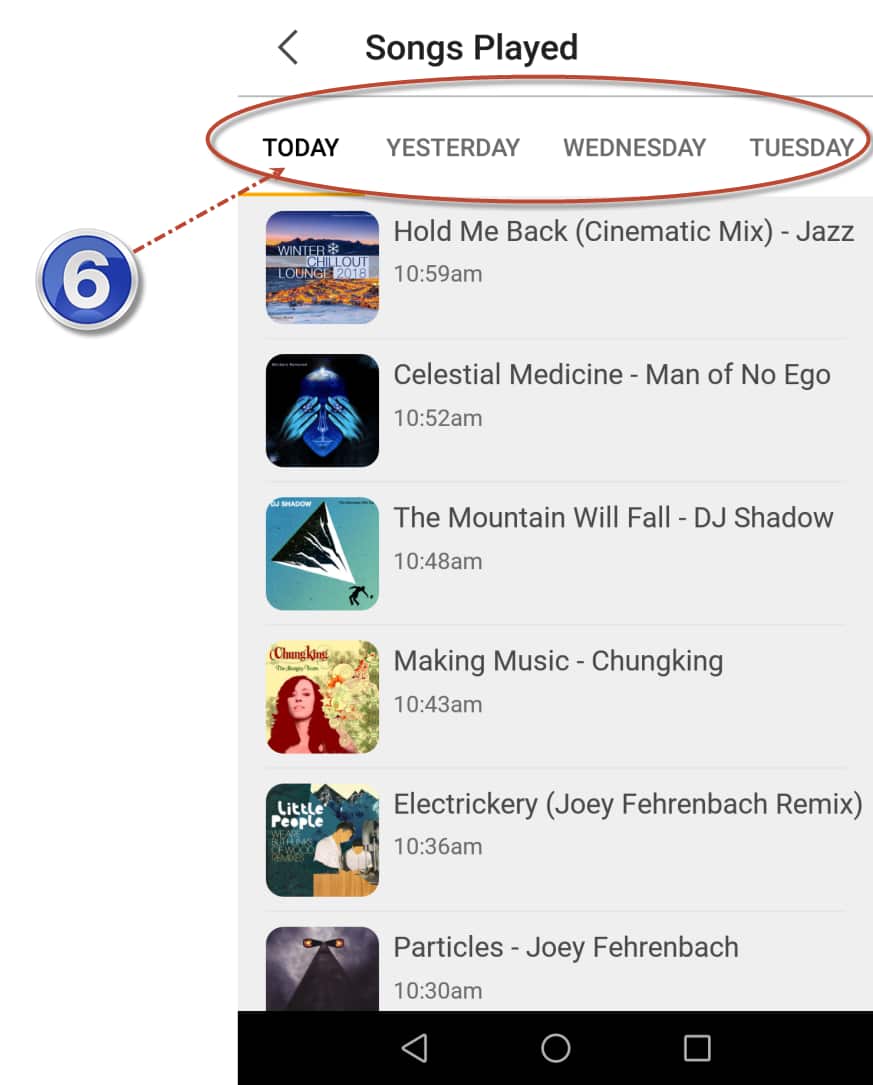
- The SBS Radio app comes with a 7-day playlist of all songs played on SBS Chill.
How do I find the 7-day playlist?
On the new Android app, click Radio in the bottom menu, then select SBS Chill.
On the iOS app;
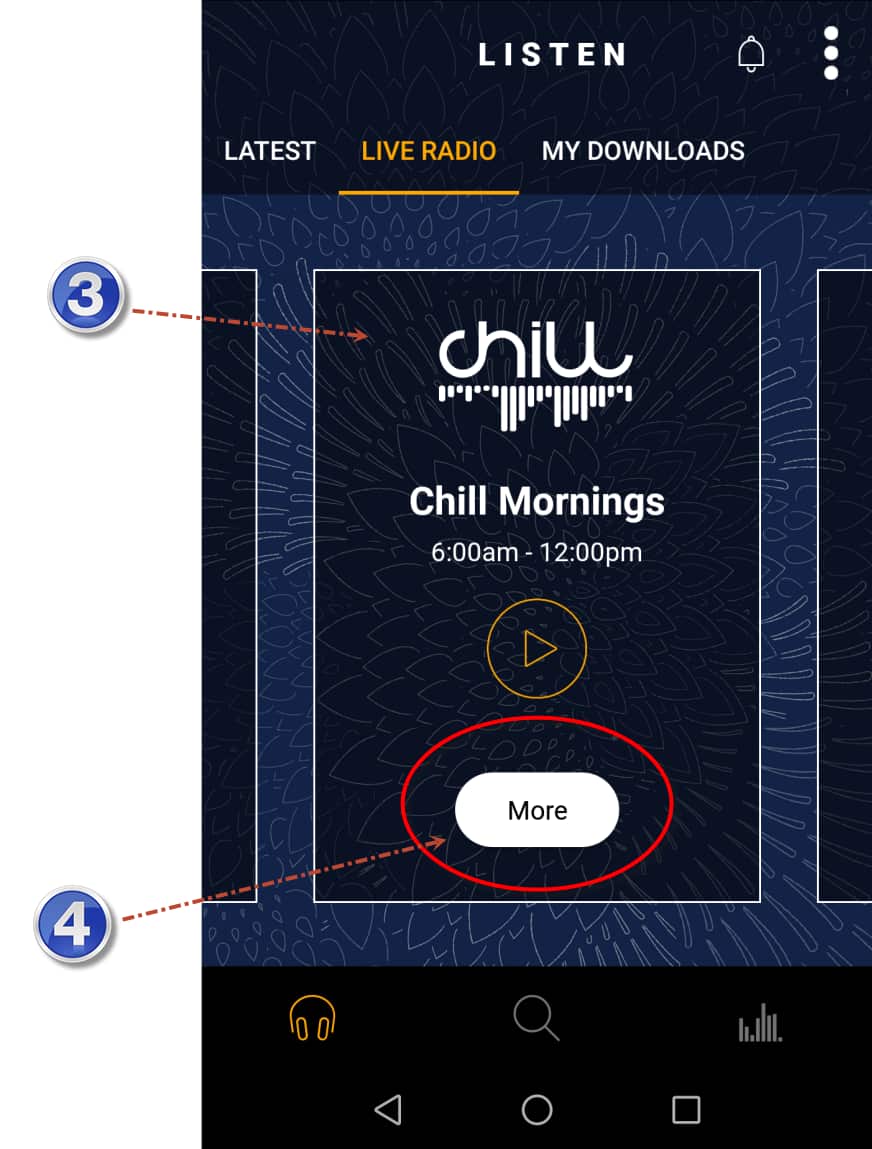
- Tap the “Live Radio” tab and swipe left or right to find 'SBS Chill'
- Once you’ve found it, tap the “More” button.
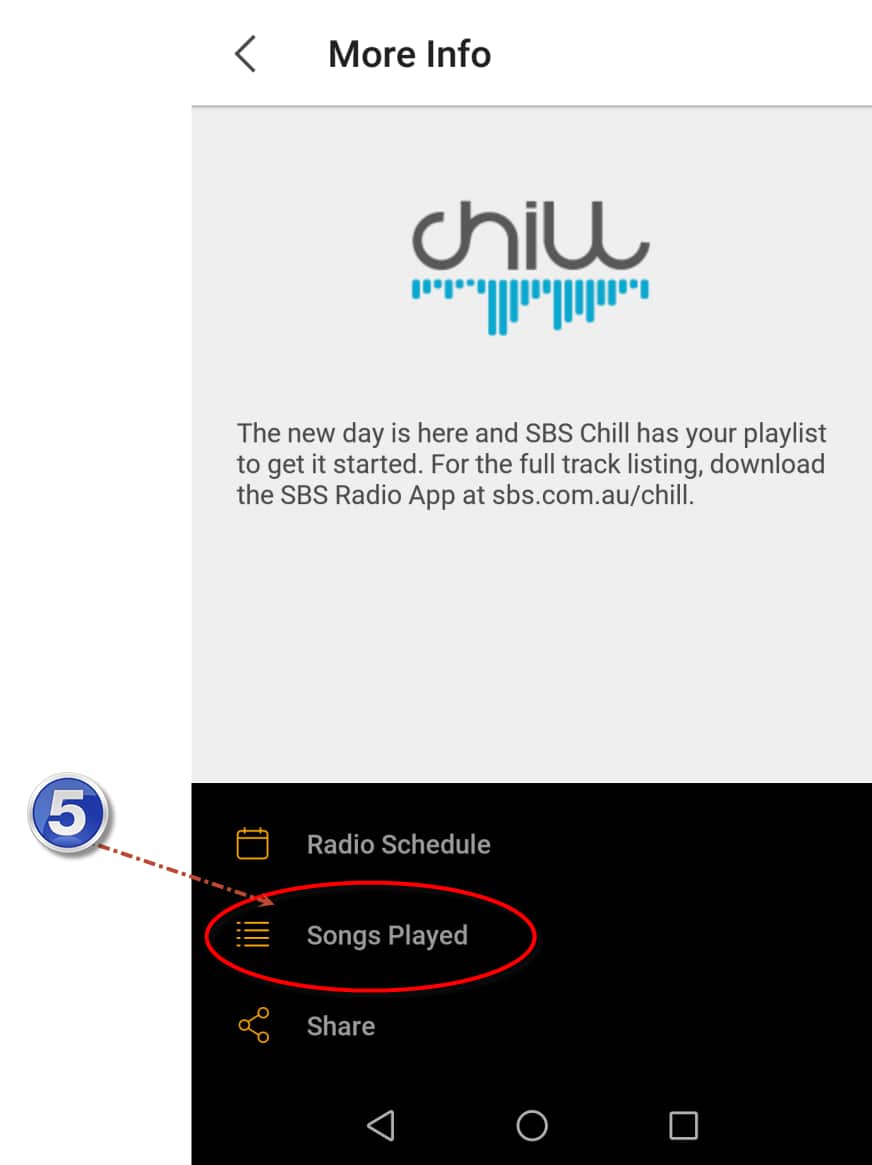
- At the bottom of the Station screen you’ll see “Songs Played”, tap this to view a list of recently played songs.
Step by Step Guide for the iOS app
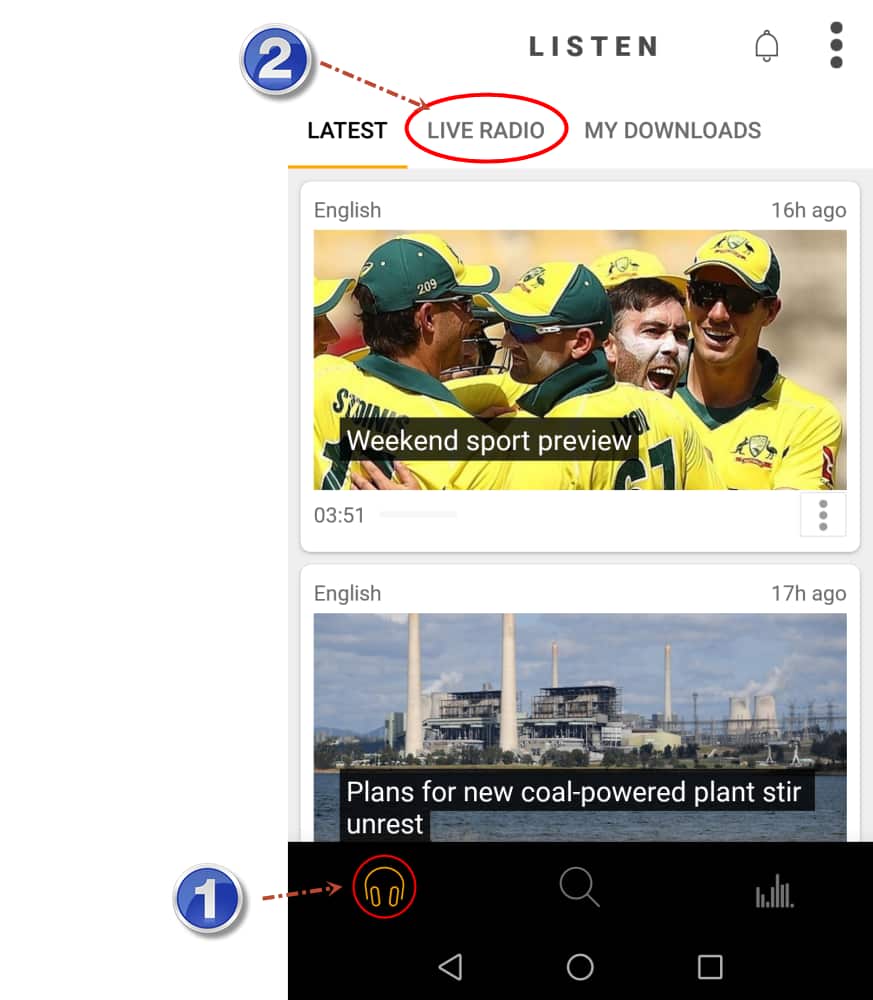
- Step 1: Tap the "headphones" icon at the bottom left corner of the app.
- Step 2: Tap "Live Radio" tab.
- Step 3: Swipe left or right to find "SBS Chill"
- Step 4: Tap the "More" button
Source: SBS - Step 5: Tap the "Songs Played" button
Source: SBS - Step 6: You should be able to see a 7-day playlist of songs played on SBS Chill
Source: SBS
Step by Step Guide for the iOS app in video
Download now on iTunes App Store and Google Play


Share