Google has introduced a feature in Australia that lets you choose which news outlets — including SBS News — appear near the top of your search results.
The tool, known as preferred sources, sits alongside Google's existing ranking system. It only applies to users who actively opt in and can be changed or removed at any time.
Here's how to make SBS News your preferred source on Google
SBS News is one of Australia's most trusted news providers. This is how you can choose to see more public-interest journalism from us in your Google results:
- Sign in to your Google account
- Search for a topic that's currently in the news
- In the Top Stories section, click the icon showing two overlapping cards with a star
- Search for SBS Australia and select it as your preferred source
- Click 'Reload results', and stories from SBS News will start appearing near the top of your Google search results.
News that makes sense
Your trusted source for staying up-to-date with the world around you. Get free daily news updates and analysis, straight to your inbox.
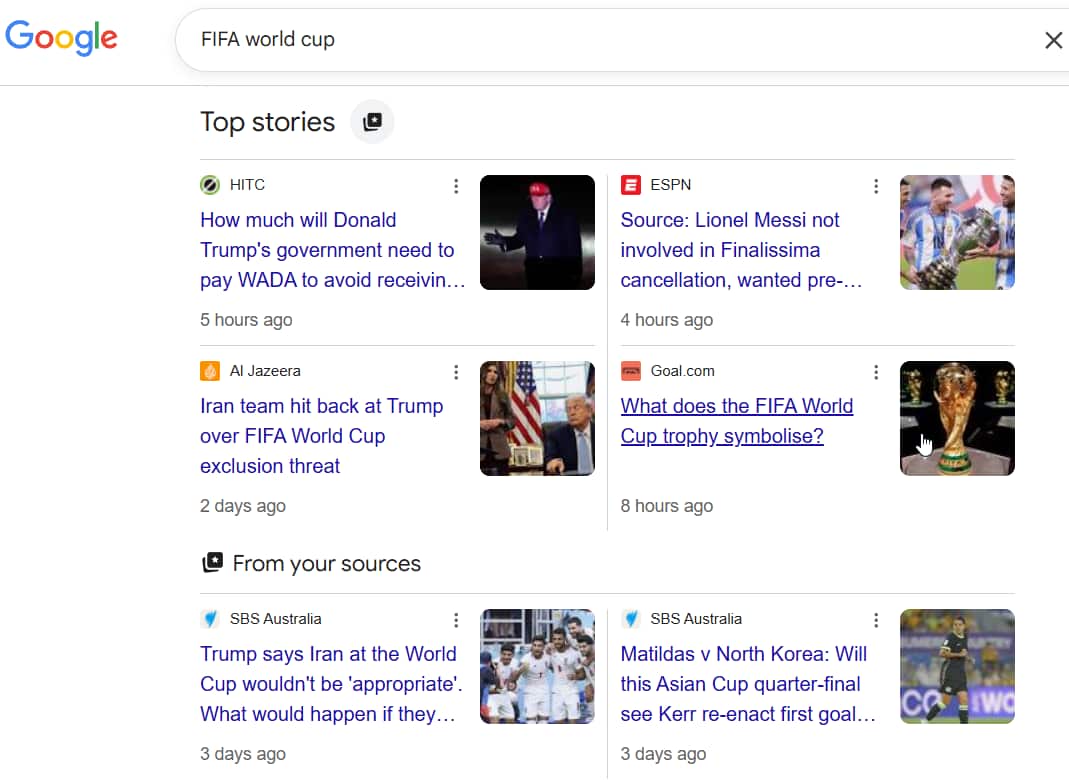
You can also click on this link to access the Preferred Sources setting directly.
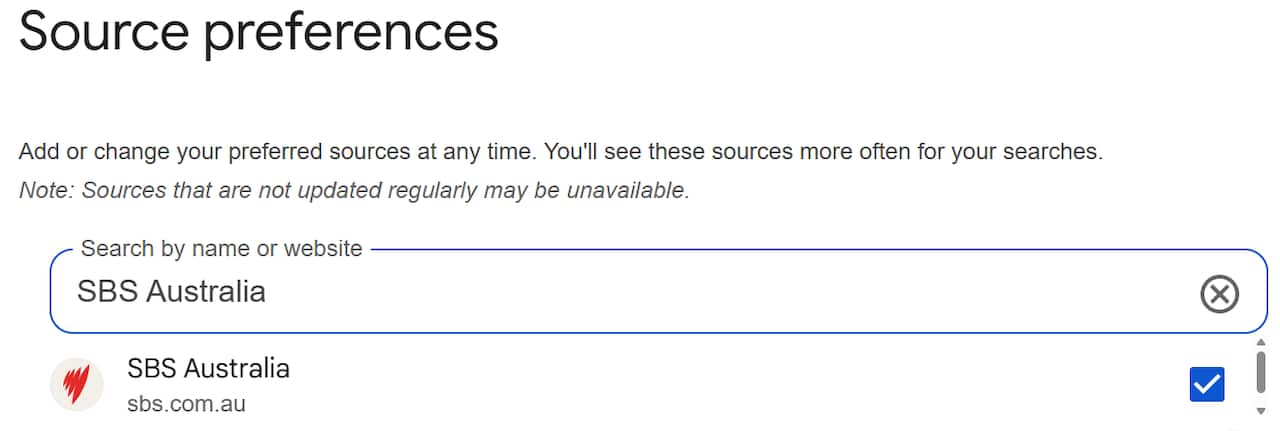
What are Google preferred sources?
Google's preferred sources tool allows you to personalise your settings to see more of SBS News, and any other news outlets, when visiting Google websites and apps.
If a selected news outlet has relevant, up-to-date coverage, you may see more of its stories appear prominently in the Top Stories section. The setting only applies when you are logged in to Google.
How else you can connect with SBS News
- Subscribe to our newsletter (delivered to your inbox weekday mornings and afternoons, and on weekends)
- Download the SBS News app
- Subscribe to our News Updates, News-In-Depth and On the Money podcasts on Apple Podcasts, Spotify or wherever you get your podcasts