The iPhone version of the SBS Radio App can be downloaded from the Apple iTunes Store.
The Android version of the SBS Radio App can be downloaded from Google Play.
Steps to download and install for iPhone:
Watch the step by step guide in the video below:
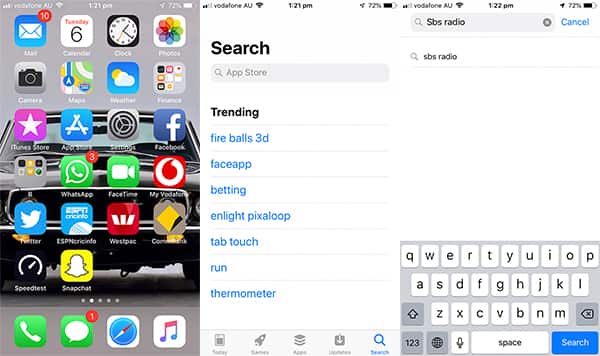
Step1: Click on App Store on your iPhone
Step 2: Click on search, type SBS Radio and press search
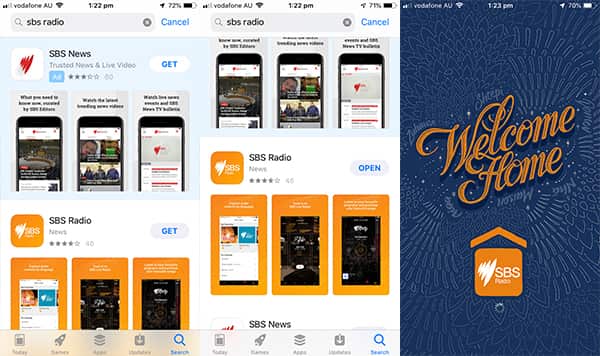
Step 3: Scroll down to SBS Radio app and press get to download
Step 4: Once downloaded press open to launch the app
Step 5: Click on allow
Step 6: Scroll down to Urdu and click on it to select
Step 7: Click on done and you are all set up
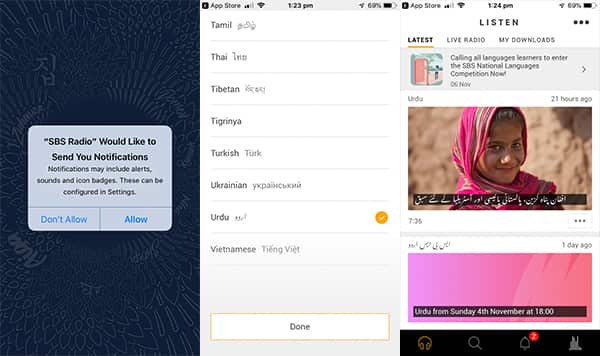
Step 8: You can now listen to the latest Urdu podcasts and previous Urdu shows by clicking on them and pressing play.
Step 9: To tune into Urdu the show live you can click on live radio.
Steps to download and install for Android:
Watch the step by step guide in the video below:
Step1: Click on Play Store on your Android phone
Step 2: Click on search, type SBS Radio to search. Once the SBS Radio app appears select it.
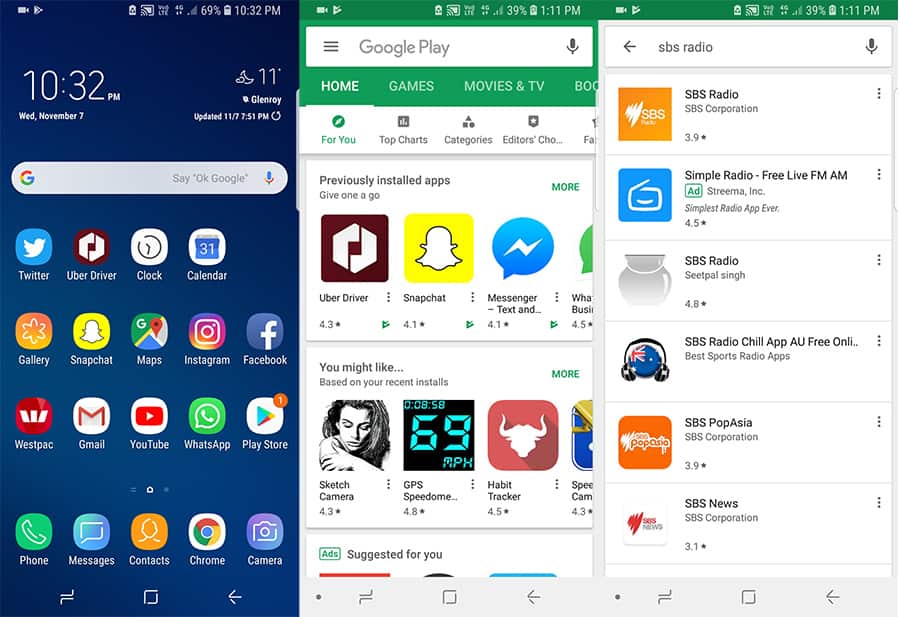
Step 3: Click on install
Step 4: Once installed press open to launch the app
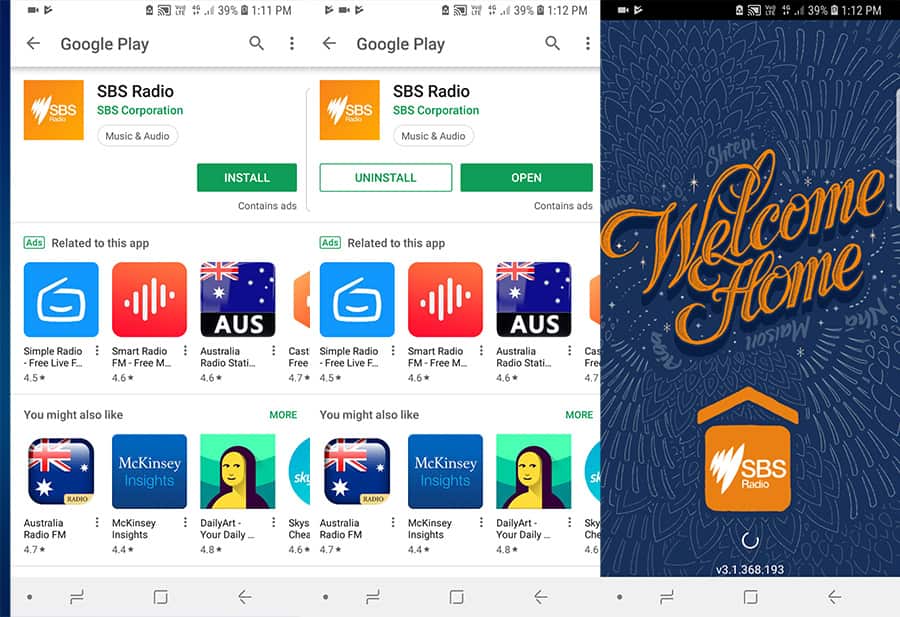
Step 5: Scroll down to Urdu and click on it to select it
Step 6: Click on done and you are all set up
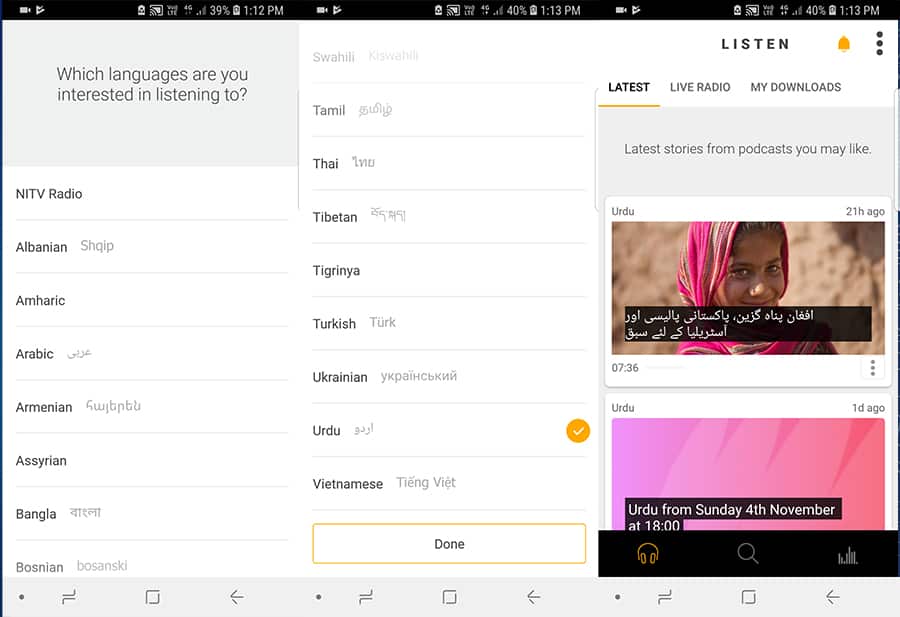
Step 7: You can now listen to the latest Urdu podcasts and previous Urdu shows by clicking on them and pressing play.
Step 8: To tune into the Urdu show live you can click on live radio.